
Step 1: Login to Client Area
Login to TheBeeHost Client Area with your registered account. Navigate to your Services section.
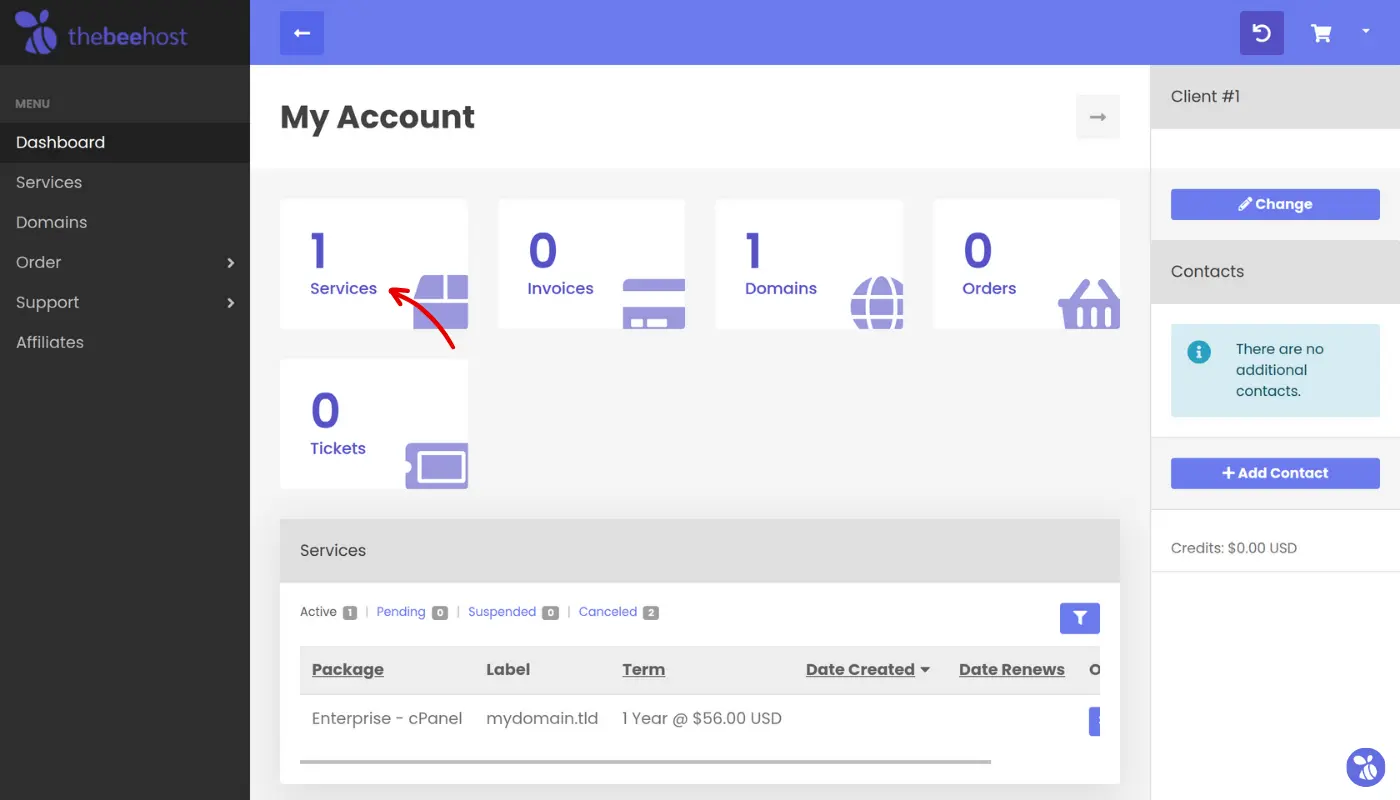
Step 2: Services Section
Expand the dropdown menu by clicking the arrow icon.
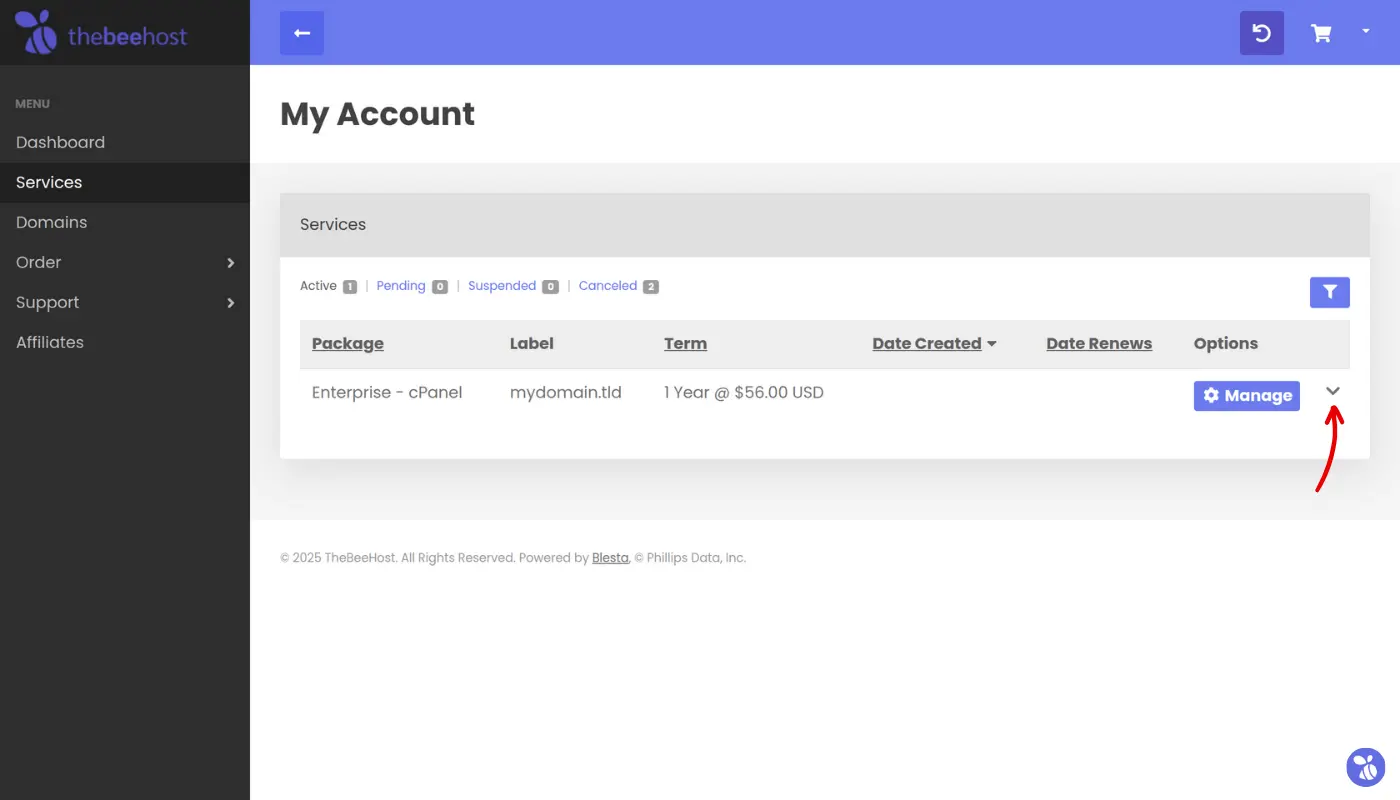
Step 3: Login to Control Panel
Click the Log in link under the Options column. It will bring you under the Hosting Control Panel without asking username and password.
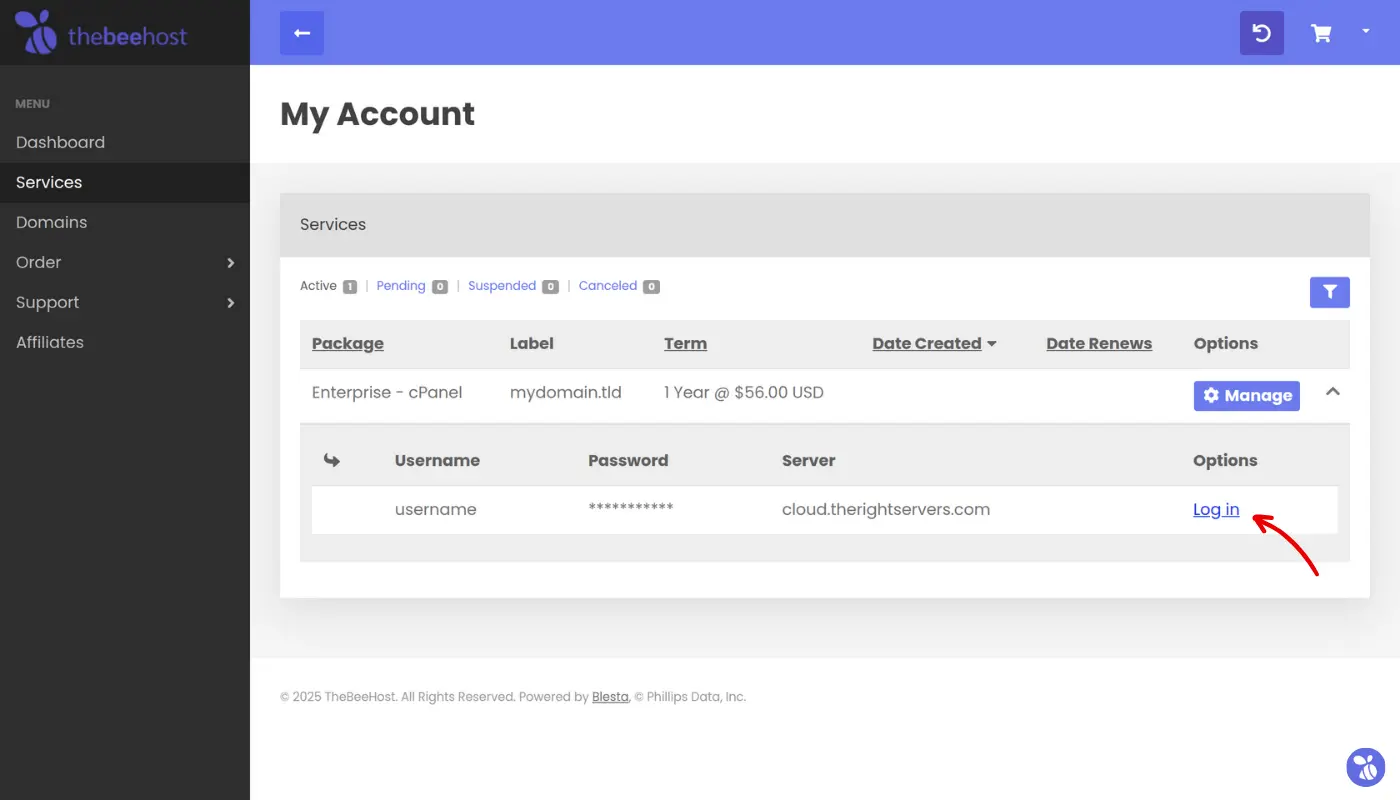
If you have encountered any technical errors or issues while performing the above steps. Please feel free to reach out to our TheBeeHost Technical Support team.
Stay blessed and Happy hosting journey with TheBeeHost!
Was this article helpful?
YesNo